Invoicing
Invoices that post to the books themselves.
Every invoice checks GSTIN and HSN, numbers itself, and writes the journal entry when saved.
Start Freeapp.arthvahi.in
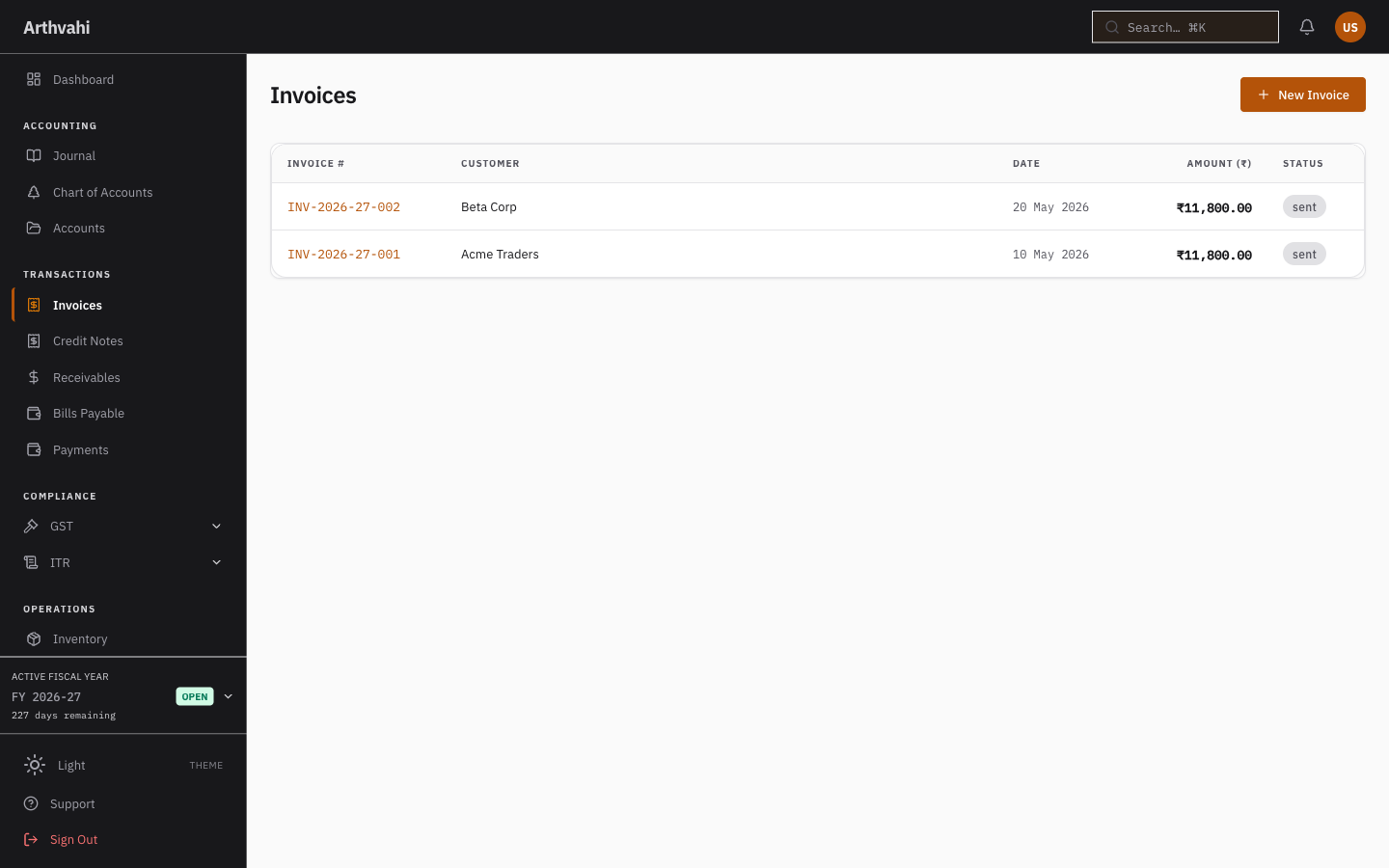
A sale, from invoice to journal entry
Nothing on an invoice stays on the invoice. Saving one posts a double-entry record to the books.
- GSTIN format checked at entry
- HSN codes checked against the tax-rate master
- Invoice numbers gapless within the financial year
- CGST, SGST and IGST split by place of supply
- E-invoice IRN payloads prepared per the NIC schema (sandbox until production IRP is wired)
Invoice to journal entry, automatically
- 01
Invoice saved
GSTIN and HSN checks pass, the next number is assigned.
- 02
Entry posted
The customer account debited, revenue and output tax credited.
- 03
Receivables updated
The invoice appears in the customer ledger, dated and due.
- 04
GSTR-1 ready
The supply lands in the outward-return data for the period.
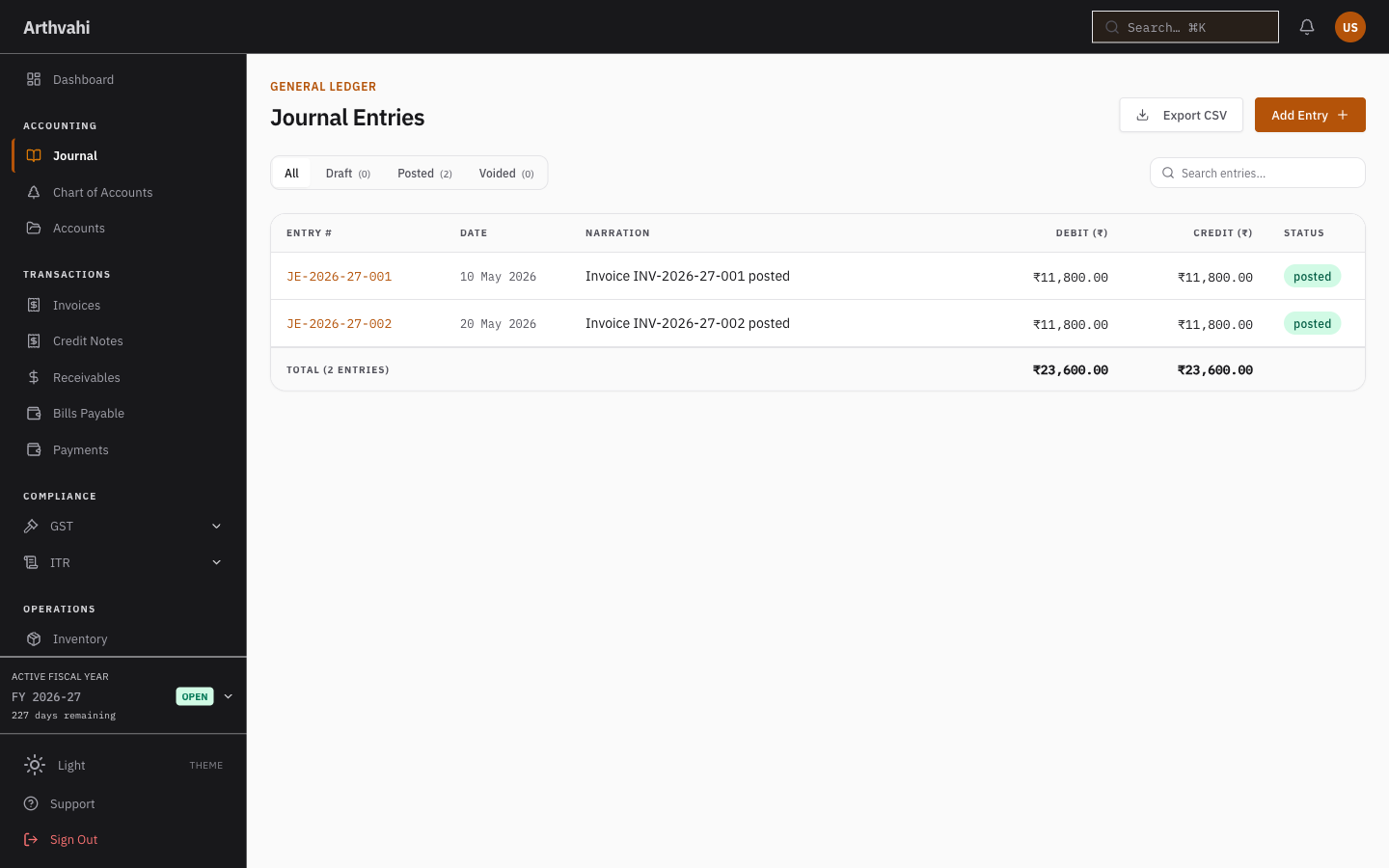
The entry an invoice writes
Save an invoice and the matching entry is posted: the customer account debited, revenue and output tax credited. Nothing typed twice.
- Debit: customer receivables
- Credit: sales revenue
- Credit: CGST output
- Credit: SGST output
app.arthvahi.in
Create an invoice, get a journal entry.
Sign up free and watch the first invoice post itself to the ledger.